
Explore the Features Behind a More Active Morning.
From setting up your first alarm to choosing a wake-up mission and following your progress, Dareqly brings the tools for a more interactive morning routine into one simple Android experience.
Your Alarm Schedule, All in One Place.
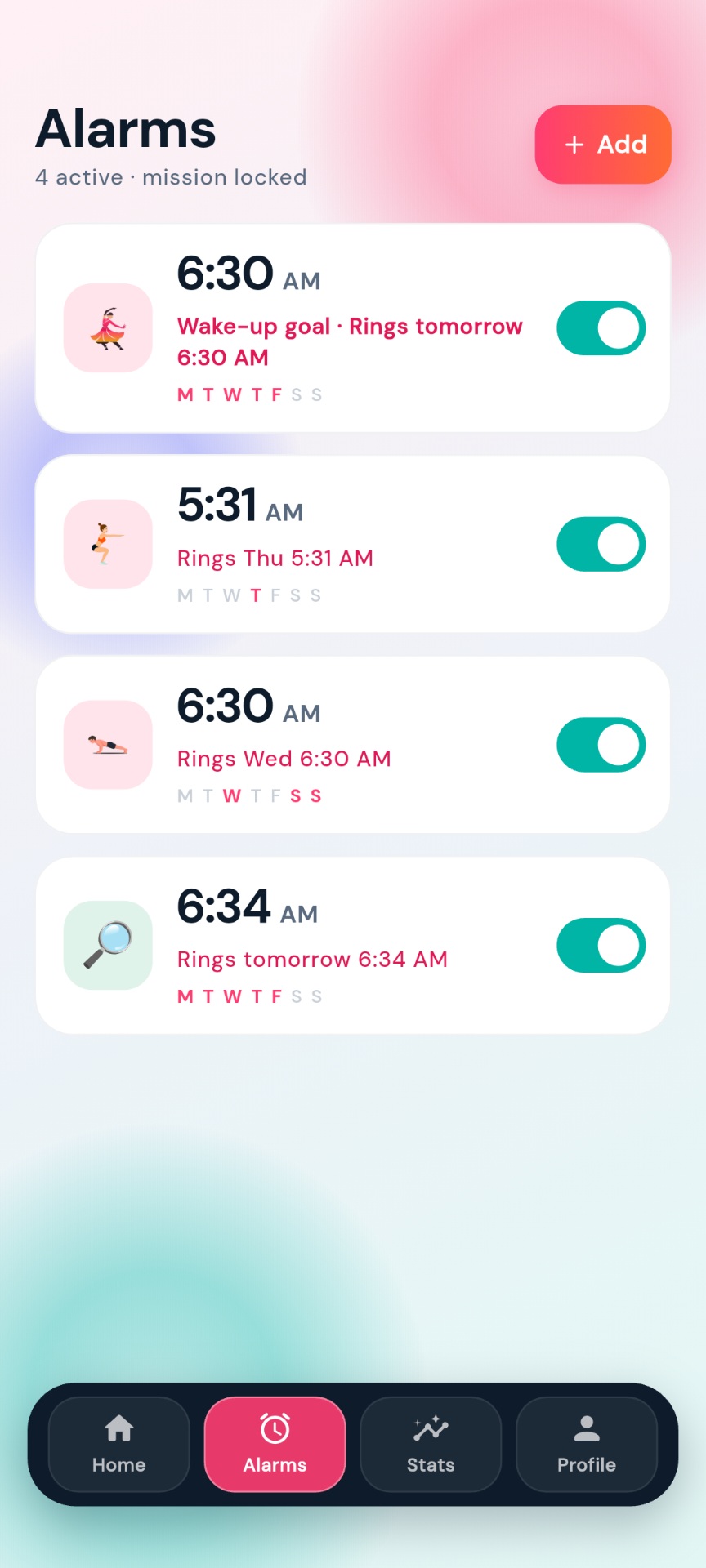
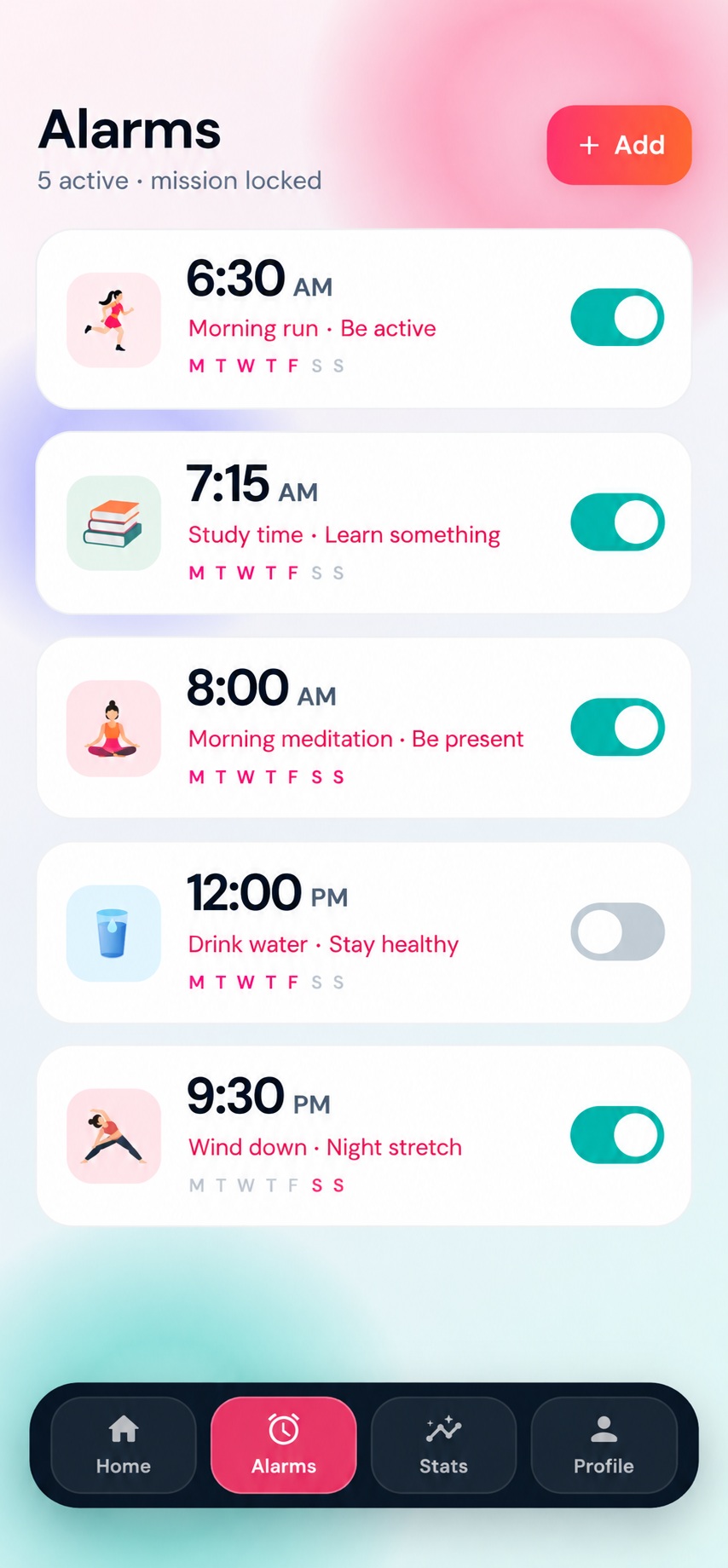
Different mornings call for different schedules. Dareqly gives you a simple way to create, organize, and manage alarms without rebuilding your routine every day.
-
01
Different Alarms for Different Days.
Create more than one alarm and manage separate wake-up times from the same Alarms screen.
-
02
Choose Exactly Which Days Repeat.
Set alarms to repeat on selected weekdays or create schedules for particular days.
-
03
Know What Every Alarm Is For.
Give your alarms descriptive names so you can distinguish different routines and reminders.
-
04
Switch Alarms On or Off Quickly.
Use simple controls to enable or disable an alarm while keeping its configuration available.
-
05
Connect an Alarm to a Challenge.
Select an available mission as part of the alarm setup process.
Wake Time
Choose your preferred alarm time.
Repeat Days
Select specific days of the week.
Mission
Choose how the alarm will be dismissed.
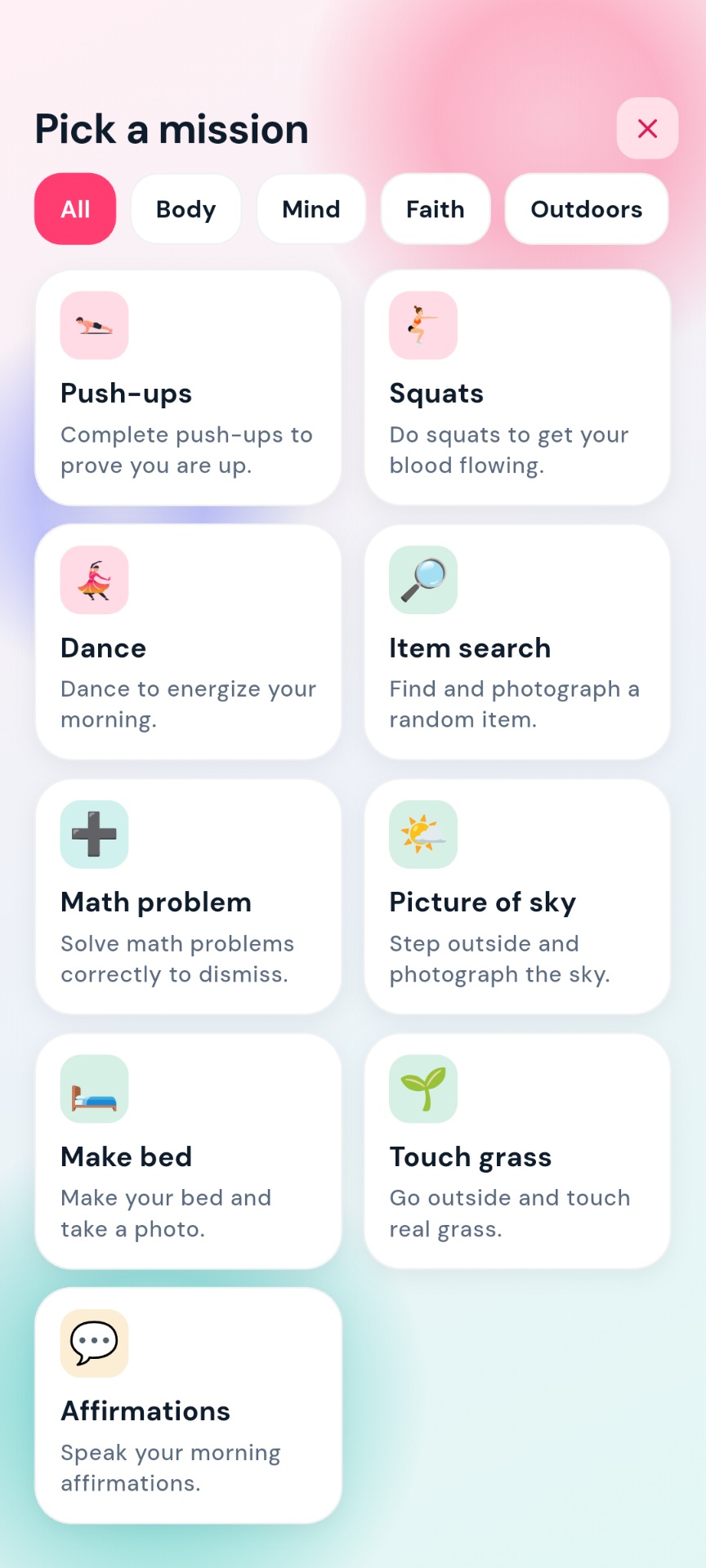
Choose How You Want to Dismiss Your Alarm.
Dareqly offers different kinds of wake-up challenges. Explore the available missions, learn what each involves, and choose activities that work for your abilities and surroundings.
Push-ups
MovementComplete a set of push-ups to prove you're ready to get moving.
A physical wake-up challenge for users who prefer starting the day with exercise.
Some Missions Take You Beyond the Screen.
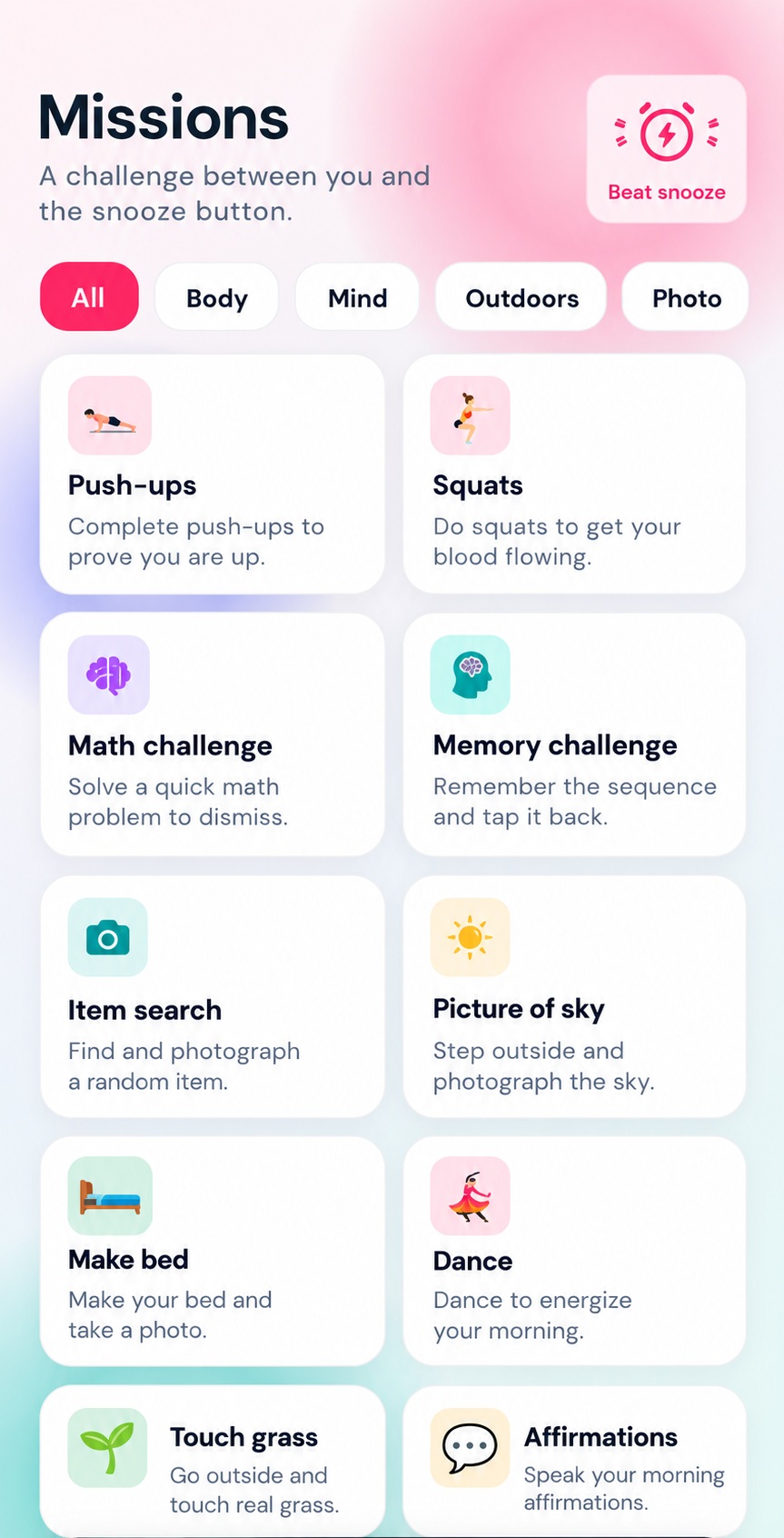
Not every Dareqly challenge involves tapping buttons or solving problems. Certain activities ask you to interact with your surroundings and capture a photo as part of the mission.
Find an Item
Look for a requested object and photograph it.
Capture the Sky
Photograph the sky from a safe location.
Make Your Bed
Complete the task and capture a photo.
Photo-based challenges should only be completed in safe, accessible environments.


Fine-Tune the Details of Your Wake-up Routine.
Your preferred wake-up time, alarm sound, and weekly schedule are personal. Dareqly brings these choices together so you can manage your routine without unnecessary complexity.
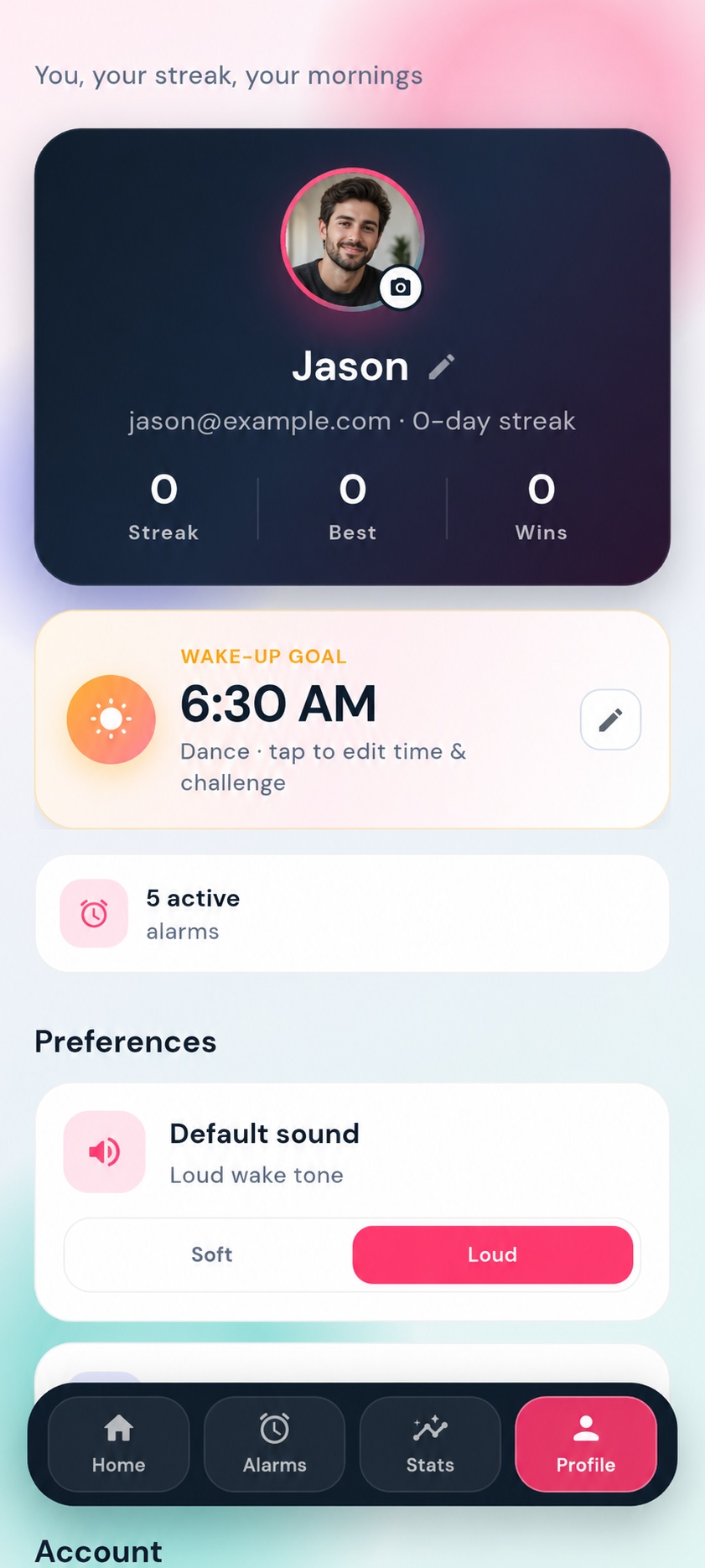
Set Your Target Time.
Choose a wake-up goal that fits your schedule.
Pair Your Goal With a Challenge.
Select a mission as part of your wake-up goal configuration.
Choose Your Preferred Wake Tone.
Configure the available sound preferences to match your morning routine.
Adjust the Wake-up Experience.
Use the available volume or Soft/Loud controls shown in the Dareqly settings interface.
Keep Your Schedule Organized.
View and manage the alarms you have enabled.
See the Patterns Behind Your Morning Routine.
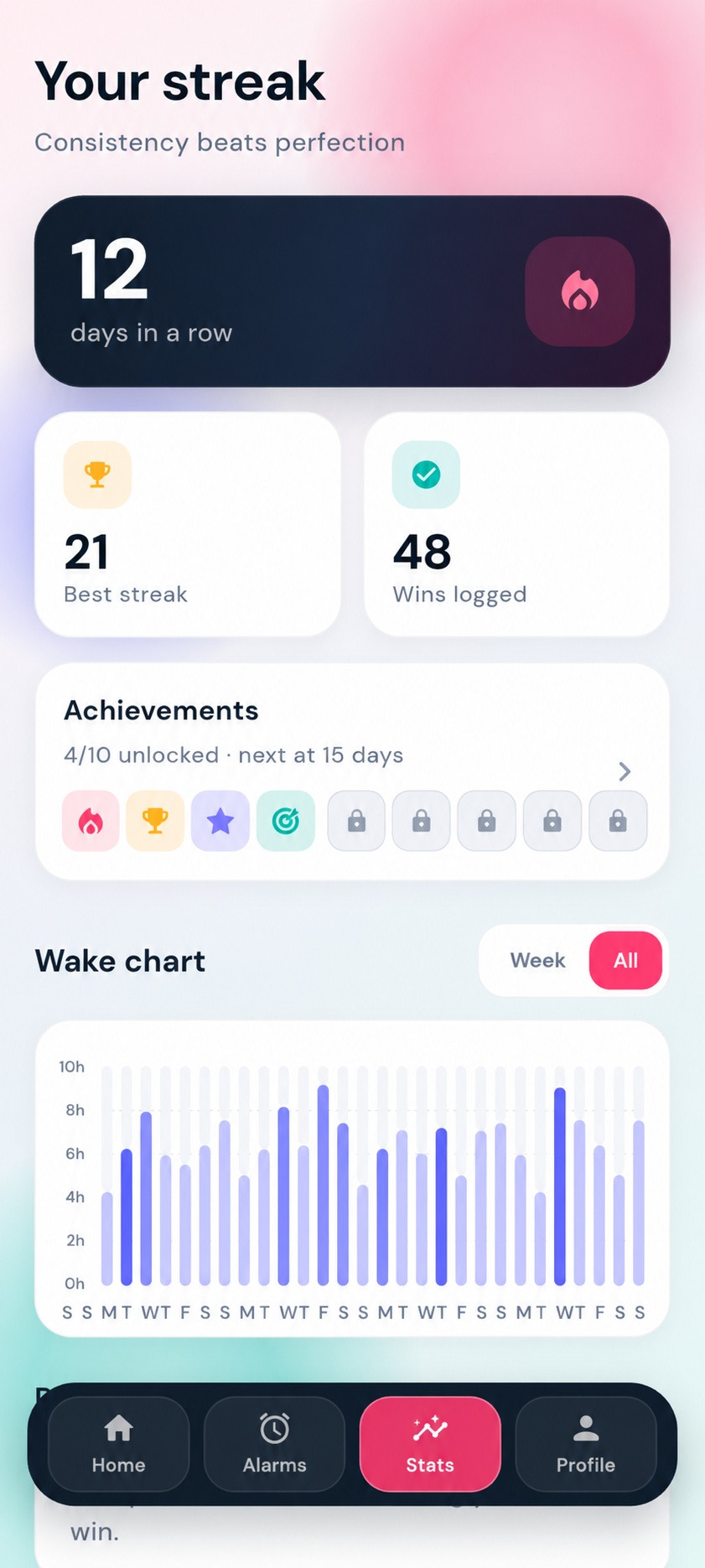
Dareqly's progress screen brings your wake-up history, streaks, and achievements into one place. Review your activity and see how your routine develops over time.
Follow Your Consecutive Wake-up Days.
See how many days in a row you've maintained your successful wake-up routine.
Keep Your Best Record in View.
Review your longest successful streak as a personal milestone.
Recognize Your Completed Mornings.
See the total successful wake-up records displayed by the app.
Unlock Milestones Along the Way.
Follow achievement progress and discover new milestones as you continue using Dareqly.
Understand Your Wake Chart.
Use the wake chart to review your recorded wake-up history and explore your morning patterns.
Take a Closer Look at Every Screen.
Explore how Dareqly organizes its alarm controls, mission selection, progress tracking, and personal settings.
Dashboard
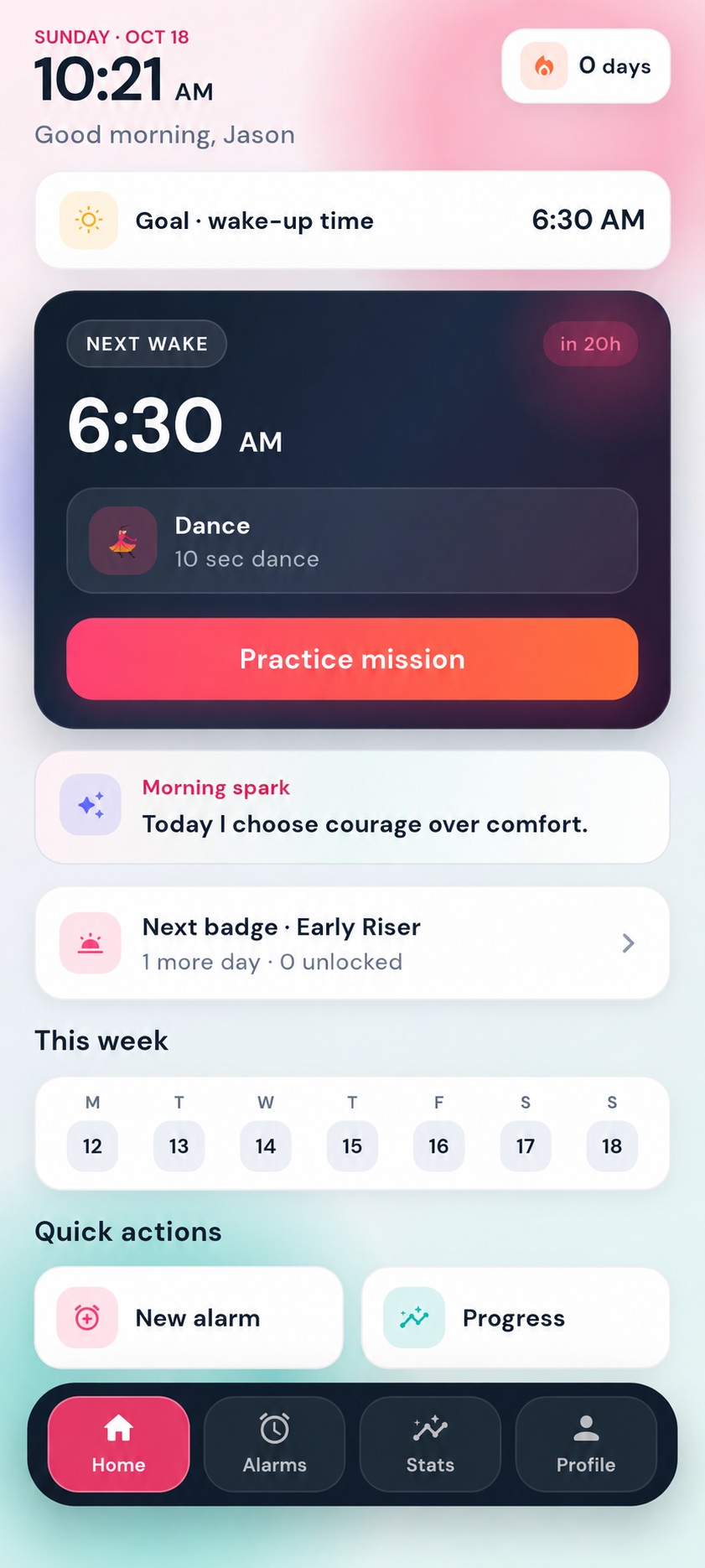
View your next wake-up time, selected mission, personal wake-up goal, and shortcuts to other features.
Designed for Everyday Routines. Used With Care.
Dareqly brings interactive features to your morning, but safe challenges and reliable device settings are important parts of the experience.
Choose Missions Safely.
Physical and outdoor challenges should match your abilities and surroundings. Avoid unsafe movements, dangerous locations, or activities that could put you or others at risk.
Check Your Alarm Settings.
Alarm behavior can depend on device power, Android permissions, sound settings, and background restrictions. For important events, keep a backup alarm.
More Details About Using Dareqly.
Answers to common questions about the application's capabilities and settings.
All Your Morning Tools. One Android App.
From configuring alarms and selecting missions to reviewing streaks and achievements, discover how Dareqly brings your wake-up routine together.
Dareqly. A More Interactive Way to Start Your Morning.